A statement you can read but not print. A contract you can open but not search. An archive of invoices locked by an owner password nobody wrote down. Permissions like these were set to protect the sender, and they land on the recipient as pure friction. PDF Unlocker for Mac Expert removes the restrictions — copying, editing, printing — and, when you know the open password, takes that off as well. Drop the file in, click Convert, and seconds later you have an ordinary PDF. It runs entirely on your Mac: no upload, no server, no file-size limit.
It handles 40-bit and 128-bit encryption, AES-encrypted documents and PDF files up to version 1.8 — one at a time, or a whole folder of them in a single batch.
System requirements: macOS 10.8 or later · Native on Apple Silicon (M1/M2/M3/M4) & Intel · Offline, no account required
You can read the statement, but the Print item is greyed out. Printing permissions are set by the sender, not by you. Clearing them means the document behaves like any other file on your disk — printable, searchable, yours.
You need three paragraphs out of a hundred-page report. With copying disabled you end up retyping. Remove the restriction and the text becomes selectable again, ready to quote or to feed into a translation tool.
The archive was exported years ago by software nobody still runs. Old exports often carry 40-bit or 128-bit owner passwords that no longer serve anyone. Queue the whole folder and decrypt it in one pass.
You have the password — you just don't want to type it every time. A file that asks for a password on every open is a file you stop opening. Enter it once, decrypt the copy, and the prompt is gone for good.
One app, four ways in. PDF Unlocker for Mac Expert doesn't re-render, re-encode or re-compress your document — it writes a decrypted copy. Text stays text, vectors stay sharp, images stay at full resolution, and the layout is byte-for-byte the page you already have. Nothing leaves your Mac.
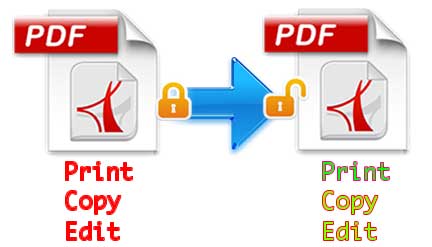
Most "locked" PDFs are not really encrypted — they carry permission flags set with an owner password. Those flags tell Preview and Acrobat to grey out Print, to refuse a copy, to block annotations. PDF Unlocker for Mac Expert clears them at the file level, so the document stops arguing with you.
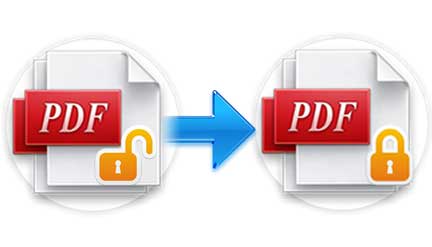
Some files are locked twice: an owner password that sets permissions, and a user password (open password) that must be typed before the first page appears. Nobody can remove a password they don't have, and no honest tool should try. Type it once at the lock icon, and the app decrypts the file; from then on it opens like any other PDF.
The encryption inside a PDF has changed over the years, and an old archive will contain several generations of it. PDF Unlocker for Mac Expert covers the formats that actually turn up in the wild, decrypting them locally instead of asking a web service to do it for you.
Unlocking one file is a three-second job. Unlocking two hundred should not be an afternoon. Add the whole set at once, decrypt them in a single pass, and open the results straight from the document list.
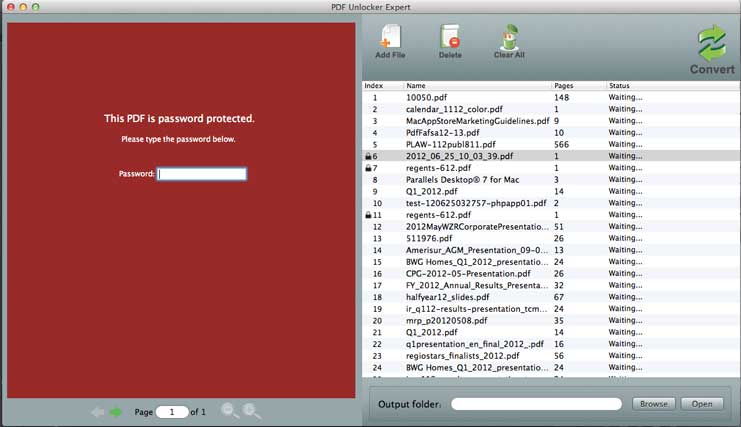
The interface is deliberately small: a file list, three buttons, one progress bar. Here is the whole workflow.
Click the Add files button  to import the PDFs you want to unlock, or choose File → Add Files from the menu. Import as many original files as you like at once — there is no limit. Click Delete
  to remove one imported PDF, or Clear
  to remove them all.
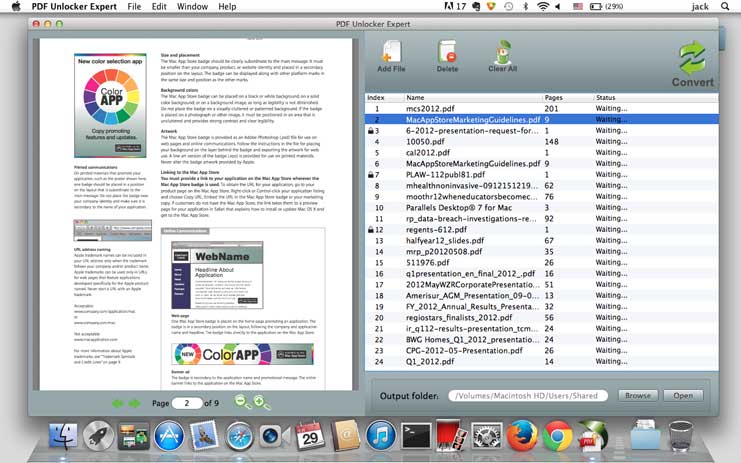
If a lock appears on the file's row, the PDF is protected against opening and you need to supply that password before it can be decrypted. Click the lock, type the password, and the file is ready. Files that only carry permission restrictions skip this step entirely — no password, no prompt.
Click the Convert button  . In a few seconds the PDF is decrypted and written to disk. Then click the link in the document list to open it, or choose File → Open Output Folder to go straight to the folder holding every decrypted file.
Can I remove a user password from a PDF file? Not on its own. A user password — also called the open password — is the password the creator set to stop anyone else opening the file, and it cannot be removed without being known. What the app does is remove the owner password and its restrictions, and when a file carries both, it removes them together once you supply the correct user password.
Printing, copying and editing permissions are stripped from the file itself — not worked around with tricks.
Queue a folder of locked PDFs and decrypt them in a single pass, with no file-size limit.
Handles 40-bit and 128-bit encryption, AES encryption and PDF files up to version 1.8.
Everything is decrypted on your Mac. Files are never uploaded and passwords are never stored.