A PDF deck is great for presenting — terrible for editing. PDF to PowerPoint for Mac turns it back into a real .pptx: slides you can rearrange, text you can rewrite, and charts you can update — with the original layout, fonts, and graphics still in place.
Slides get rebuilt by hand, charts become flat pictures and bullet points turn into unformatted text. Drag the PDF into this app instead, and you get a live PowerPoint file with native text boxes and real shapes — the kind you can keep working on rather than rebuild from scratch.
System Requirement: macOS 13.0 or later · Native support for Apple Silicon (M1/M2/M3/M4) and Intel
The deck that came back as a PDF. Your client approves the slides but sends changes as a marked-up PDF. You need to rewrite three slides, swap in fresh data and present by morning. Rebuilding each slide from scratch wastes an hour — convert it once and keep editing in PowerPoint.
The report with 40 pages of charts. A quarterly report only exists as a PDF. The data changed and you need to update 12 charts. There is no source file. Convert the PDF to PowerPoint and the charts become editable shapes you can fix in minutes.
The handout you only need two slides from. A 200-page conference PDF has two diagrams you want for your own deck. Extract just those pages, convert them to PowerPoint, and drop the slides straight into your presentation.
One drag, and the PDF is a PowerPoint deck again. PDF to PowerPoint for Mac does one job and does it well: turn PDFs into editable .pptx presentations on your Mac, accurately and in batches, with nothing uploaded to the cloud. Preview every page before you commit, pick exactly the slides you need, and let the app process a whole folder while you get on with the rest of your work.
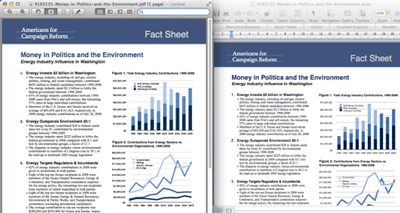
The point of converting is not to get a screenshot of your slides — it is to get objects you can move, resize and edit. Text stays as text boxes, images stay as images, and charts become editable shapes rather than flat pictures.
Not every job starts with a single file, and not every file needs every slide. Throw in two hundred PDFs at once, or tick exactly the pages you want — page 3 to 7, page 12, page 19. The app queues them, shows progress, and gets on with it.
3-12), individual pages (7), or combine selections (1,4,9-11)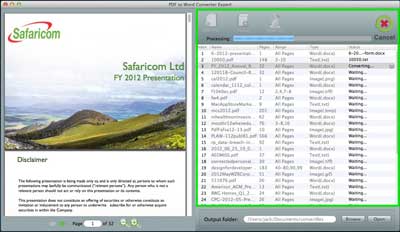
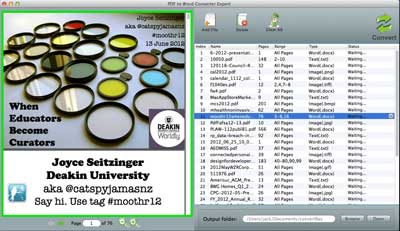
Why convert a 400-page report when you only need the appendix slides? Preview every page as a thumbnail, tick the ones you want, and convert just those. It is faster, and it keeps the resulting PowerPoint file from getting bloated.
Layout, images, charts and tables survive the trip. What you open is what the PDF contained.
Native engine, no cloud round-trip. A 300-page report converts while you make coffee.
Everything runs on your Mac. No uploads, no accounts, no traces left on a server.
Drag, pick a format, click. No settings labyrinth. Works offline, with files of any size.