
Are you still manually retyping text from screenshots, whiteboard photos, or handwritten notes? SnapText ends all OCR pain points with a 100% on-device engine that accurately recognizes printed and handwritten text across multiple languages, auto-structures clean paragraphs, translates instantly, and previews results right in your menu bar — all while your data never leaves your Mac.
System Requirement: macOS 13.0 ~ Latest macOS, 10-Language Interface Supported
Low accuracy on mixed languages & handwriting. Meeting slides, product manuals, and foreign documents contain text that can only be identified visually. Most OCR tools only support printed text and 2–3 languages; when faced with mixed Chinese, English, Japanese, and Korean, or handwritten meeting notes, accuracy drops sharply, producing fragmented paragraphs. You're forced to spend a lot of time manually adjusting the format or retyping everything, introducing errors.
Translation breaks your workflow. Does translation require jumping between 3 apps, and does every scan break your workflow? Seeing foreign material means going through screenshot, open OCR, copy text, open translation software, and paste. Without a dedicated hotkey, quickly extracting text requires navigating multiple menus. After recognition, you have to open a full window just to view results, completely disrupting your concentration during continuous document editing.
Your screenshots may be uploaded to someone else's server. Screenshots may contain sensitive information such as contracts, passwords, chat logs, and internal reports. Many OCR tools quietly upload your images to the cloud for processing, leaving your data privacy completely out of your control.
One tool to end all OCR pain points. Engineered for professional and personal workflows alike, SnapText delivers industry-leading text recognition with zero privacy compromise. Powered by an advanced on-device AI engine, it extracts printed and handwritten text across 10+ languages, auto-structures paragraphs, translates instantly, and previews results in the menu bar — all while keeping your data 100% private and offline.

Beyond printed text, the engine accurately recognizes handwritten content across multiple languages and writing styles — from quick whiteboard sketches to careful notebook entries.
No more manual formatting. AI automatically organizes messy recognition results — whether from printed documents or handwritten notes — into clean, logical paragraphs, ready to export and use immediately.

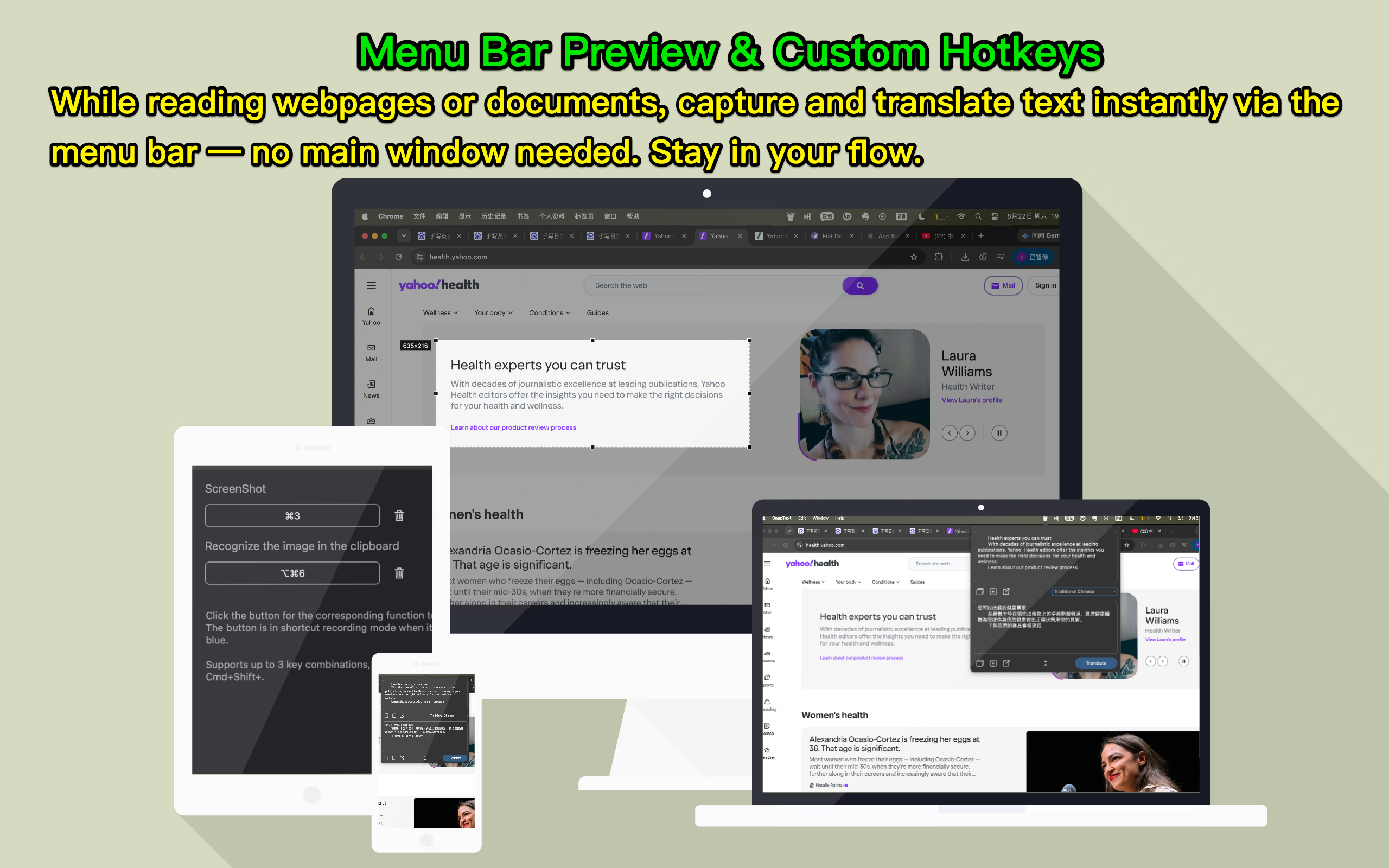
Enter capture mode with one click and assign dedicated hotkeys for screenshots, OCR, and translation. After a screenshot OCR, results pop up instantly in the menu bar — no need to open the main window.
Built-in translation engine supports major languages including English, Chinese, Japanese, Korean, and more. Translate extracted text directly without leaving your current app. (Translation requires internet connection)
Fully supports English, Simplified Chinese, Traditional Chinese, Japanese, Korean, Spanish, Portuguese, French, German, and Italian interfaces. Every button, tip, and menu feels tailor-made for you — no matter where you are.
We do not collect your data, upload your files, or track your usage. All OCR recognition — including handwritten text — is completed locally on your device. Your documents belong only to you.

If you need PDF compression or format conversion, check our PDF Compress Expert for Mac.